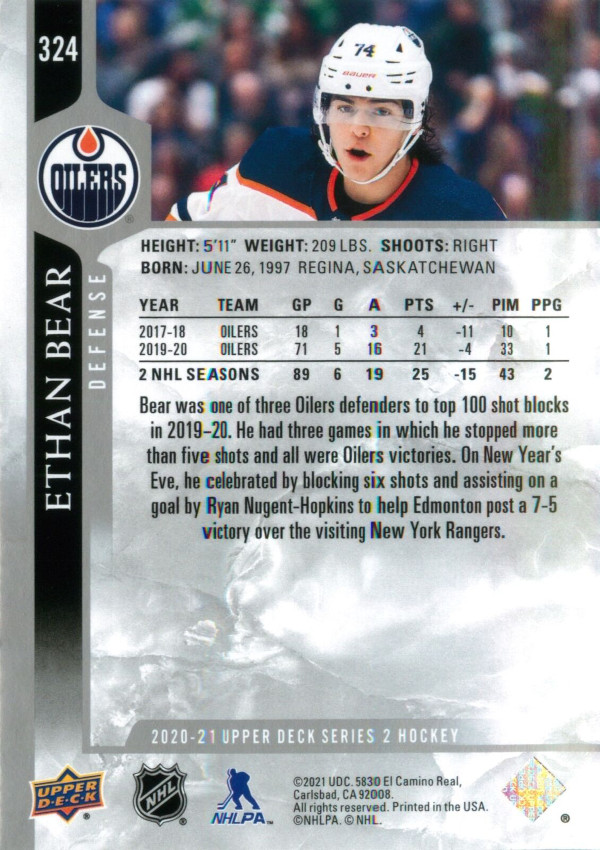
As a tech geek at heart, I love finding ways of using code build fun things that reasonate with me. One of the more interesting personal projects I took on last year was building a hockey card maker for an online hockey game league I like to play in a couple of nights a week.
This post seems like a great way to break down that project and summarize the approach. As you’ll discover, I ran into some interesting challenges putting this together. All in all this project looked deceptively simple on the surface, but wound up being tremendously complex. It’s one of the more complicated things I’ve taken on for a side project, and one of the first times I’ve melded an idea, a bit of creativity, and a lot of code to make something interesting.
Build hockey cards for the end of the season for every player in the league, in the same vein as your average hockey card.
After looking through several hockey cards online, I decided on the basic structure of the card:
Retrieving the data would be the first problem. The league has 120 players across 12 teams, and doing all of that work manually would take months.
Instead, I could use a mix of image templates and data to build customized cards for each person so long as I followed a format.
Fortunately I was able to re-use some code I had put together for a different side-project to screenscrape the site. That code is written in C#, based on the HtmlAgilityPack, and available on my GitHub
I pulled all of that into a data scraper project that would:
Persist the data to file
 var parser = new Parser(
     targetSeason: "30",
     seasonStatsToPull: new int[] { 30 }
     );

 var players = parser.GetPlayers(); // Method from Parser
 var statsTeams = parser.GetTeams(); // Method from Parser

 using (FileStream file = new FileStream("teams_stats.xml", FileMode.Create, FileAccess.Write))
 {
     System.Xml.Serialization.XmlSerializer ser = new System.Xml.Serialization.XmlSerializer(typeof(List<StatsTeam>));
     ser.Serialize(file, statsTeams);
 }

 using (FileStream file = new FileStream("c:\\testoutputdraft\\players_staging.xml", FileMode.Create, FileAccess.Write))
 {
     System.Xml.Serialization.XmlSerializer ser = new System.XmlSerialization.XmlSerializer(typeof(List<Player>));
     ser.Serialize(file, players);
 }
The HtmlAgilityPack allows you to load an HTML document into memory as a tree structure:
using (var httpClient = new HttpClient())
{
    var values = new Dictionary<string, string>
    {
        { "season", TARGET_SEASON },
        { "button", "view+season" }
    };

    var content = new System.Net.Http.FormUrlEncodedContent(values);
    var response = httpClient.PostAsync("url", content).GetAwaiter().GetResult();
    html = response.Content.ReadAsStringAsync().GetAwaiter().GetResult();
}

HtmlDocument document = new HtmlDocument();
document.LoadHtml(html);
In this case, the code logs into the site (not shown), submits a request, loads the response, and reads that into an HtmlDocument with nodes.
Essentially we make a request like this to five+ different URLs per player:
Through a lot of digging through HTML documents, debugging, and trial and error, you wind up with code like this:
var statsItems = document.DocumentNode.Descendants().Where(x => x.HasClass("row_1g_h") || x.HasClass("row_1f_h"));

foreach (var item in statsItems)
{
    int season = Int32.Parse(item.Descendants().FirstOrDefault(x => x.HasClass("color_2a")).InnerText.Split(' ')[1]);

    // The parent methods define a minimum threshold
    // Stats site has entire history of a player, but we want to load 1...n season(s)
    if (season < MIN_SEASON_THRESHOLD)
    {
        continue;
    }
    var childCells = item.ChildNodes.Where(x => x.Name == "td").ToArray();
    //1 = GP, 2= G, 3 = A, 4=pts, 5=pim, 6 = hits, 7 = shots, 8 = gwgm 9 = fo%, 10 = +\-, 11=corsi, 12 = wins, 13 = losses, 14 = OTL
    var statsObj = new DefenseStatistics();
    statsObj.Season = season;

    var teamNames = childCells[0].Descendants().Where(x => x.Name == "a");
    foreach (var name in teamNames)
    {
        statsObj.TeamNames.Add(name.InnerText);
    }

    statsObj.GamesPlayed = Int32.Parse(childCells[1].InnerText);
    statsObj.Goals = Int32.Parse(childCells[2].InnerText);
    statsObj.Assists = Int32.Parse(childCells[3].InnerText);
    statsObj.PIM = Int32.Parse(childCells[5].InnerText);
    statsObj.Hits = Int32.Parse(childCells[6].InnerText);
    statsObj.Shots = Int32.Parse(childCells[7].InnerText);
    statsObj.GWG = Int32.Parse(childCells[8].InnerText);
    statsObj.DefenseRating = decimal.Parse(childCells[9].InnerText);
    statsObj.PlusMinus = Int32.Parse(childCells[10].InnerText);
    statsObj.Wins = Int32.Parse(childCells[12].InnerText);
    statsObj.Loss = Int32.Parse(childCells[13].InnerText);
    statsObj.OTL = Int32.Parse(childCells[14].InnerText);

    analytics.DefenseStats.Add(statsObj);
}
I have no idea how the site was built, but it uses tables for the data (sensibly, since stats are tabular data by nature) and exposes some odd (but consistent) class names to key off of. Once that’s identified, it’s just a matter of navigating through the tree, figuring out the patterns, and accessing the desired inner elements.
The end result was data that we could serialize to disk as follows:
<StatsTeam>
    <Season>30</Season>
    <TeamName>Boston Bruins</TeamName>
    <TeamAbbreviation>BOS</TeamAbbreviation>
    <!-- Others stats, not used for this app -->
</StatsTeam>
The key piece here is the TeamAbbreviation, which is used as a key to link to each player.
<Player>
    <Gamertag>Player_Gamertarg</Gamertag>
    <!-- Other Stats omitted -->
    <CenterStats />
    <DefenseStats>
        <DefenseStatistics>
            <GamesPlayed>3</GamesPlayed>
            <Season>30</Season>
            <!-- Player played 3 games at defense across 2 teams this season -->
            <TeamNames>
                <string>Anaheim</string>
                <string>Minnesota</string>
            </TeamNames>
            <!-- Stats omitted for readability -->
        </DefenseStatistics>
    </DefenseStats>
    <GoalieStats />
    <WingerStats>
        <WingerStatistics>
        <GamesPlayed>17</GamesPlayed>
        <Season>30</Season>
        <TeamNames>
            <string>Anaheim</string>
            <string>Minnesota</string>
        </TeamNames>
        <!-- Stats omitted for readability -- >
        </WingerStatistics>
    </WingerStats>
    </PlayerAnalytics>
</Player>
Side note: I originally had this serialize to JSON because I wanted to try building this in Javascript, but later chose XML because XML is nice and easy in . I also wanted to give this data to some Excel wizards in the league, who wanted to do some additional analysis. .NET plays nicely with both now, but for a while .NET was far more XML-friendly, and likely would have been if not for Newtonsoft :)
Excel handles XML far better than JSON, so it was a fairly obvious choice.
You’ll already notice some complexity here, which will rear its head later.
Namely:
Regardless, I now had the data I needed for the cards to be built. The next thing I needed was the cards themselves.